Text entry across languages
Lipikaar - Hindi Typing Software enables multilingual text entry across several Indian languages using a phonetic-based input system. It supports Hindi, Marathi, Bengali, Gujarati, Kannada, Malayalam, Tamil, Telugu, Assamese, Oriya, Punjabi, Sanskrit, Nepali, and Konkani. The software operates on Windows and includes two distinct typing modes: Lipikaar and Inscript keyboard.
Top Recommended Alternative

Lipikaar - Hindi Typing Software integrates Speech-to-Text Typing for English and nine Indian languages, expanding input options beyond keyboard entry. It also focuses on converting Romanized text or spoken input into native scripts with accuracy and consistency for diverse written communication needs. You can use it with MS Word and other Office Suites.
Unify your typing
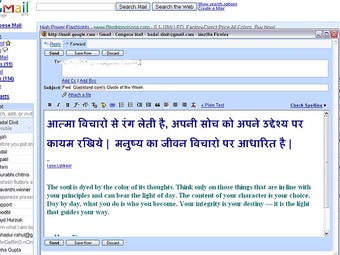
Lipikaar - Hindi Typing Software’s operation centers on transliteration typing, converting phonetic English input into corresponding Indian scripts. The Lipikaar method allows typing without memorizing special key combinations, while the Inscript layout offers direct script mapping for those familiar with standard government layouts. Both methods generate Unicode text, ensuring compatibility with most text-processing environments. Its system interprets keystrokes to produce accurate characters consistently across supported languages.
The speech-to-text feature recognizes spoken input in real time and transcribes it into text within the chosen language. This function accommodates multiple dialects through adaptive speech processing, designed to identify tone and inflection patterns for accuracy. Each supported language utilizes built-in phoneme models, converting voice input to native scripts without requiring additional configuration. The feature allows interchangeable speech and keyboard inputs.
The software includes language and script switching tools. You can toggle between languages or input methods through on-screen shortcuts or keyboard combinations. The software retains session-specific settings, allowing consistent language selection across different applications. It supports clipboard transfer for text generated within the interface, ensuring that typed content can be moved into text editors, browsers, and messaging platforms. However, it does not include multilingual spell-check or grammar tools.
Language conversion platform
Lipikaar - Hindi Typing Software supports phonetic and scripted typing across major Indian languages. It emphasizes Lipikaar (transliteration) and Inscript modes, as well as speech-to-text for English and Indian languages. The platform focuses on linguistic consistency and conversion accuracy but offers limited customization in layout or automation. Its structured interface provides clear access to typing and voice entry tools, though advanced text-formatting options remain minimal.